How a Houston HVAC Company Went From 15 to 66 Google Clicks in One Month
A Houston HVAC company went from 15 to 66 Google clicks in a month. Here is what the audit found, what we fixed and what the numbers do and do not show.
Read the guide →
Houston HVAC demand does not arrive evenly. It spikes the first week it hits the high nineties, and it spikes again when an occasional hard freeze sends people looking for heat. If your website is not ready before those weeks, you spend the busiest days of the year hoping someone else's phone is busy.
This guide shows how to plan SEO around those spikes and what to build so you get calls for repair, installation and maintenance.
HVAC searches fall into a few groups, and each one needs a page:
If you cover only repair on your homepage, you miss the others.
Search interest in cooling builds before the hot months. Pages that are published, indexed and linked in spring have a better chance of being ready than pages published in July.
A simple yearly plan:
For "near me" and emergency searches, the map pack is where most calls start.
See our guide on how to show up in the map pack for the details.
A strong HVAC page answers what the customer is worried about. For AC repair, that means what could be wrong, how fast you can arrive and what a visit costs. For replacement, it means system sizes, brands you install, how long it takes and what affects the price.
Pages worth having:
Include a phone number, a short form, photos from real jobs and a few common questions. See how we structure this on our page for HVAC companies.
"Call for a quote" on every page loses customers who want a rough idea before they call. You do not need to publish a price list. Explain what affects the price, such as system size, efficiency level, ductwork condition and permits, and share a realistic range if you can. Pages that give straight information are more useful to readers and to the AI tools that summarize answers.
Customers read recent reviews when they are choosing, so a steady flow matters more than a burst. Ask right after the technician finishes, when the air is cold again and the customer sees the result. Send a direct review link by text, and ask every customer who finishes a job with you. Our guide on how to get more Google reviews has scripts and a simple workflow.
Reply to each review with something specific, such as the type of repair or how quickly the team arrived.
Repair calls rise and fall with the weather, but maintenance plans give you steady demand and customers who already know you. A good maintenance page explains what a visit includes, how often it happens, what it costs and what the customer gets, such as priority scheduling or a discount on repairs, only if those perks are real. Describe the plan in plain language and make it easy to sign up. Then mention it on your repair and replacement pages, since many customers are open to a plan right after a repair. Customers on a plan are also the easiest people to ask for a review.
Houston is large, and each area has its own housing. Older homes in the Heights have different systems and duct layouts from new builds in Katy or Cypress. Build an area page for each place you work, with real local detail instead of copied text. See our pages for Katy, Sugar Land and The Woodlands.
Texas licenses air conditioning and refrigeration contractors and has rules about displaying license numbers in advertising. Check the current requirements with the state licensing agency, then put your license number, insurance details and years in business where customers can see them. Add photos of your team, a short About page and the same business details everywhere online.
On a hot day, people search on a phone with a hot house and low patience. Make sure:
Test with Google's PageSpeed Insights and fix whatever it flags.
The number that matters is not your ranking, it is booked jobs.
Before the busy season. New pages and profile changes need time to be indexed, so spring is better than midsummer for cooling work.
Small profile fixes can help within weeks. Competitive searches typically need a few months of steady work, and nobody can promise a position.
Yes. The customer intent is different, and each page can answer a different set of questions.
You do not need an exact price list, but explain what affects cost and share a range if you can. It builds trust and cuts down on calls from people who are not a fit.
They work differently. Ads can bring calls quickly while you pay, and SEO builds over time. Many companies use both.
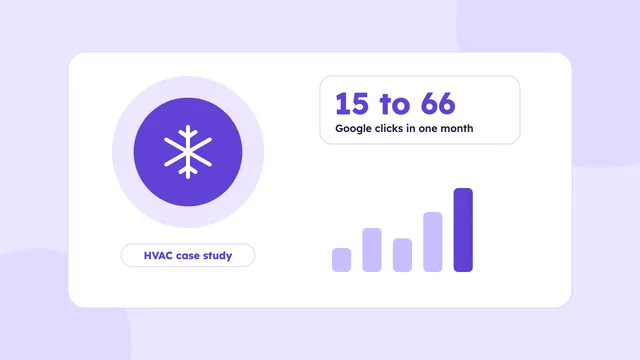
A Houston HVAC company went from 15 to 66 Google clicks in a month. Here is what the audit found, what we fixed and what the numbers do and do not show.
Read the guide →
How a Houston plumbing company can show up for emergency and service searches, from Business Profile setup to service pages, reviews and call tracking.
Read the guide →
How a Houston roofing company can get found for repair, replacement and storm searches, with trust signals, local pages, reviews and lead tracking.
Read the guide →We’ll check your website, your Google Business Profile and how AI tools describe your business. You’ll get a short video with what to fix first, within 3 business days.
Basic plan starts at $500/month · See pricing