How to Show Up in the Google Maps Map Pack in Houston
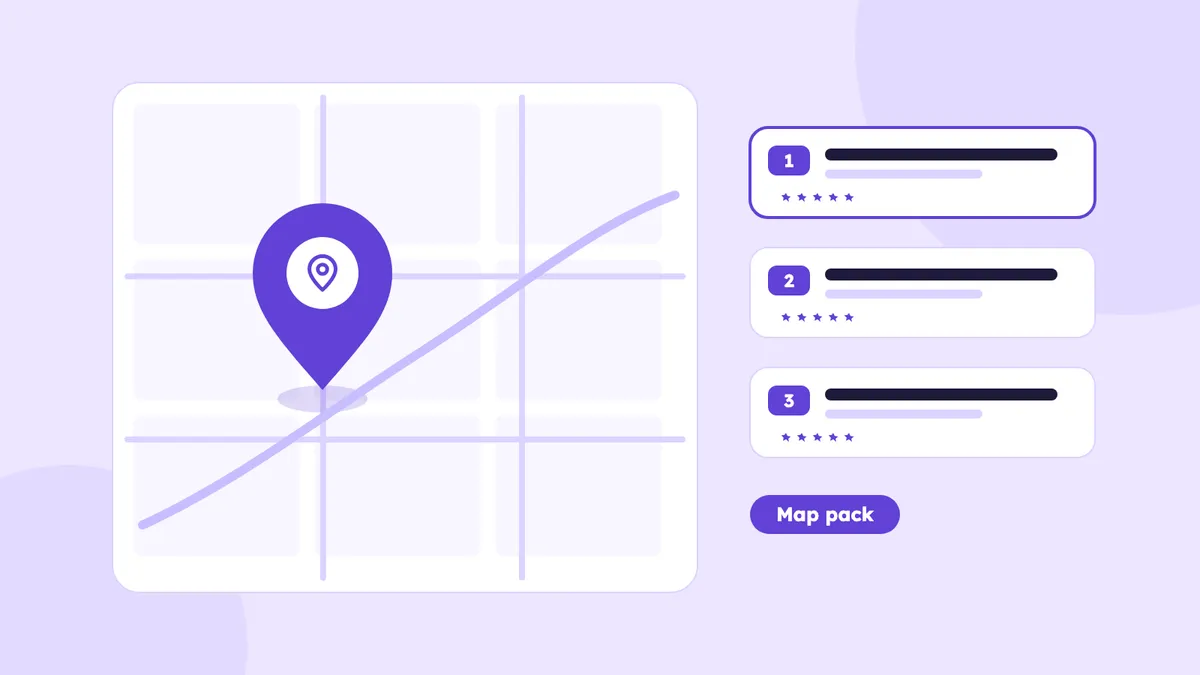
The map pack is the block of three business listings with a map that Google shows above regular results for local searches such as "plumber near me" or "dentist in Katy". For many service businesses it is where most of the calls come from. This guide explains how Google chooses who appears there and what you can do about it in Houston.
How Google decides who ranks in the map pack
Google says local results are based mainly on three things:
- Relevance. How well your profile matches what the person searched for.
- Distance. How far your business is from the searcher, or from the area named in the search.
- Prominence. How well known your business is, based on reviews, links, mentions and its overall presence online.
You cannot change distance, but you can improve relevance and prominence.
Houston adds a twist. The city and its suburbs cover a huge area, so the map pack changes from one neighborhood to the next. A business can show in the top three in the Heights and not appear at all in Sugar Land. If you serve several areas, plan for that. Our pages for Houston Heights, Katy, Sugar Land, The Woodlands and Pearland cover how local search differs in each.
Step 1: Claim and verify your Google Business Profile
Search for your business name on Google and in Google Maps. If a profile exists, claim it. If not, create one. Then complete verification, which may be a video, a phone call or a code, depending on what Google asks for. An unverified profile cannot be fully managed.
Use one profile per business location. Duplicates confuse Google and can cause suspensions.
Step 2: Choose the right categories
Your primary category is one of the strongest signals you control. Pick the one that matches your main service, for example "Plumber", "HVAC contractor" or "Dentist", not a broad one like "Service". Then add secondary categories for other things you do.
Look at the top three businesses for your search and check which categories they use. The Google Maps listing shows the primary category under the name.
Step 3: Fill out every part of the profile accurately
- Name, address and phone. Use the exact same details as on your website. Your name must be your real business name, with no keywords added.
- Hours. Keep them accurate, including holidays.
- Services. List each service you offer, with a short description.
- Service area. If you travel to customers and do not receive visitors, hide your address and list the areas you serve.
- Business description. Explain what you do and where, in plain language.
- Photos. Add real photos of your work, team, vehicles and location. Avoid stock images.
- Website and booking links. Point them to the most relevant page, such as a location page, not always the homepage.
Step 4: Build reviews the right way
Reviews affect both ranking and whether people call you. Do this:
- Ask every customer, ideally right after the job, with a direct link to your review form.
- Make it easy: one text message with the link works better than a long email.
- Reply to every review, good or bad, in a calm and specific way.
- Do not buy reviews, trade them or ask only happy customers. These break Google's rules and can get reviews removed.
Detailed reviews that mention the service and the area help, but do not script customers. Let them write in their own words.
Step 5: Strengthen the website behind the profile
Google looks at your site to confirm what you do and where. Give it clear signals:
- A page for each main service, written for that service, not one generic page.
- A page for each area you serve, with real local detail instead of the same text with the city name swapped.
- Title tags and headings that include the service and city.
- Your name, address and phone number in the footer, matching your profile.
- An embedded map and a clear contact page.
- LocalBusiness schema, so machines can read the details.
Our Google Maps SEO service and local SEO service cover this work in detail.
Step 6: Keep your citations consistent
Citations are mentions of your business name, address and phone number on other sites, such as directories, chambers of commerce and industry pages. Inconsistent details, like an old address or a different phone number, can weaken trust.
Start with the major directories, then add the ones relevant to your industry and to Houston. Fix duplicates and old listings before adding new ones.
Step 7: Earn local links and mentions
Prominence grows when real local sources mention you: a sponsored event, a local news piece, a supplier or partner page, a chamber membership. A few relevant local links beat dozens of random ones.
Step 8: Keep the profile active
Add new photos regularly, post updates about offers or completed jobs, and keep your services and hours current. An active profile signals that the business is open and real.
How to track map pack results
- Business Profile performance. Google shows calls, direction requests and website clicks. Watch these month to month.
- Local rank tracking. Tools that check rankings from a grid of points across Houston show where you appear and where you do not.
- Manual checks. Search from different parts of town on a phone, using the exact words customers use.
- Call tracking and forms. Track which leads came from your profile so you know the real value.
Rankings move around, so look at trends over several weeks, not single days.
Mistakes that hurt map pack rankings
- Adding keywords to the business name. This breaks Google's guidelines and can lead to suspension.
- Using a virtual office or a fake address.
- Creating several profiles for one location.
- Picking the wrong primary category.
- Ignoring reviews, or answering them carelessly.
- Letting the website and profile show different details.
How long does it take?
Some fixes, like correcting a category or adding services, can show an effect within weeks. Competitive searches usually take a few months of steady work on reviews, content and citations. Nobody can guarantee a position in the top three, and tools or agencies that promise it should be avoided.
Multiple locations and service areas
If you have more than one location, each one needs its own profile, its own page on your website and its own reviews. Do not share a phone number or a page between locations. If you are a service-area business covering several suburbs, choose a main base for the profile and list the areas you serve instead of creating extra profiles for towns where you have no address. Google can treat those extra listings as fake. Instead, build a strong page for each area on your website, with real details such as the neighborhoods you work in and the jobs you have done there.
A simple monthly routine
Once the profile is set up, a short routine keeps it healthy:
- Check your profile for new reviews and reply to each one.
- Add two to four fresh photos of recent work.
- Post one update, such as a completed job or a seasonal offer.
- Confirm hours, services and contact details are still correct.
- Look at calls, direction requests and website clicks, and compare them with last month.
- Search for your top three services from different parts of Houston and note where you appear.
Thirty minutes a month beats a big push once a year.
Frequently asked questions
Do I need a storefront to appear in the map pack?
No. Service-area businesses such as plumbers, roofers and cleaners can appear, but they must follow Google's rules, including hiding their address if customers do not visit.
How many reviews do I need?
There is no magic number. Compare yourself with the top three in your area and keep adding genuine reviews steadily.
Can I pay to be in the map pack?
Ads from Google Ads or Local Services Ads appear separately and are labeled. The organic map pack cannot be bought.
Why do I rank in one part of Houston and not another?
Distance is a ranking factor. Your visibility is strongest near your business and fades with distance, which is why local pages and area-specific signals matter.