How a Houston HVAC Company Went From 15 to 66 Google Clicks in One Month
A Houston HVAC company went from 15 to 66 Google clicks in a month. Here is what the audit found, what we fixed and what the numbers do and do not show.
Read the guide →
Technical SEO is the part of the work that lets Google find, read and trust your website. If it is broken, good content and good reviews cannot do their full job. A page that Google cannot index will not show up, no matter how well it is written.
This checklist covers what a small business owner or web person can check themselves, with free tools. It is written in order, so you can work through it from top to bottom.
Check indexing in Google Search Console. Add your site as a property, then open the Pages report. It shows which pages are indexed and which are not, and gives a reason for each excluded page.
Do a quick search. Type site:yourdomain.com into Google. You should see your main pages. If your homepage is missing, something is wrong.
Check for accidental blocks. Look at your robots.txt file at yourdomain.com/robots.txt. A line such as Disallow: / blocks everything. Pages can also be blocked by a "noindex" tag, which is easy to leave on after a site is built.
Here is how to read the Pages report. Pages marked "Indexed" are in Google. For the ones marked "Not indexed", read the reason. "Crawled, currently not indexed" often means Google saw the page and judged it thin or similar to another. "Discovered, currently not indexed" means Google knows about it but has not visited yet. "Excluded by noindex tag" or "Blocked by robots.txt" means someone told Google to stay away, so check whether that was on purpose. Fix the reasons that apply to pages you want in search, then use the Inspect tool to request indexing for the most important ones.
A sitemap is a list of the pages you want indexed. Most website platforms create one. Find it at yourdomain.com/sitemap.xml or sitemap-index.xml, then submit it in Search Console under Sitemaps. Check that:
Your site should load with https://. Check that the http:// version redirects to it, that there is no mixed content warning, and that your certificate does not expire. Also choose one version of your domain, either with or without www, and redirect the other to it.
A free tool such as Screaming Frog SEO Spider will crawl up to 500 URLs and show broken links, redirects and missing titles.
Google measures three things that describe the experience of a page:
Test your key pages in PageSpeed Insights on a mobile setting. The most common fixes are compressing images, using modern formats, removing unused scripts, loading fonts carefully and keeping heavy sliders and chat widgets off key pages.
Most small business traffic is on mobile. Check your pages on a real phone:
Each page needs its own title tag and meta description.
Do not use the same title on every page, and do not stuff keywords.
Each page should have one H1 that says what the page is about, followed by H2 and H3 headings in a logical order. Headings help readers scan and help Google understand the page. Do not choose headings for their size. Use them for structure.
Duplicate pages split attention and can confuse Google about which version to show.
Structured data, also called schema markup, labels the information on a page for machines. For a local business, the useful types are:
Test pages with Google's Rich Results Test. Schema does not guarantee special results, but it removes guesswork.
Pages that nothing links to are hard for Google to find, even if they are in the sitemap.
You cannot improve what you cannot see.
Check that each one actually works by testing it yourself.
Update your platform and plugins, use strong passwords and two-factor login, and keep backups. A hacked site can be flagged by Google and lose visitors fast.
If the list feels long, start here:
It is the work that makes sure search engines can find, read and index your website, and that visitors get a fast, stable experience.
Many checks are simple with free tools. Some fixes need a developer, such as deep speed work or schema across many pages.
Once a month for the basics, and after any site change, redesign or move.
Google uses page experience signals, but content relevance matters more. Speed also affects how many visitors stay.
It is not required, but it helps machines understand your business and pages, and it supports FAQ and breadcrumb displays.
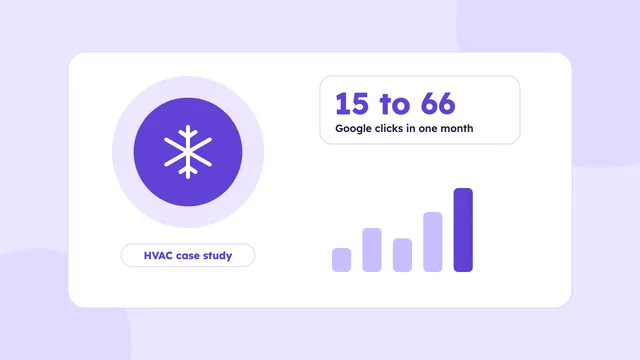
A Houston HVAC company went from 15 to 66 Google clicks in a month. Here is what the audit found, what we fixed and what the numbers do and do not show.
Read the guide →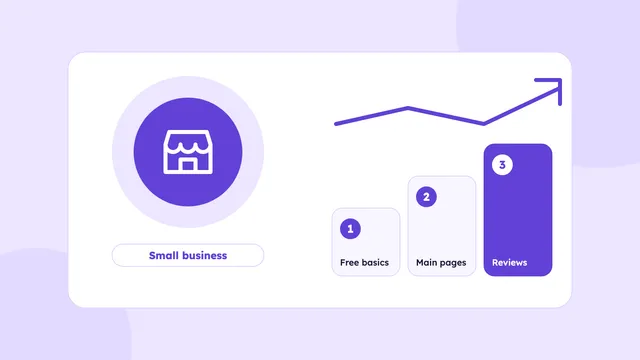
A simple plan for Houston small businesses with a small SEO budget: what to do first, what to skip, what you can do yourself and what is worth paying for.
Read the guide →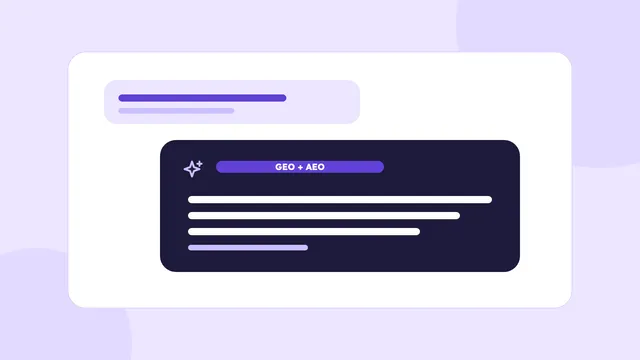
GEO and AEO explained in plain English: what they mean, how they relate to SEO, and how to write pages that answer questions clearly.
Read the guide →We’ll check your website, your Google Business Profile and how AI tools describe your business. You’ll get a short video with what to fix first, within 3 business days.
Basic plan starts at $500/month · See pricing